What is a Design System? (And why you should love it as a Frontend) 🎨
Discover what a Design System really is, why it's not just a UI Kit, and how it can save your life (and sanity) as a Frontend developer.
- Date

Hello everyone! 👋
Have you ever found yourself arguing with a designer because the button in the design has a margin of 17px and you put 16px? Or have you spent the afternoon searching the code for “that gray we use in the footer” to see if it’s the same as the header? 🕵️♂️
If you nodded (and let out a small sigh), welcome to the club. The chaos in interface development is real. But I have good news: there is a cure, and it’s called Design System.
Today we are going to stop seeing Design Systems as “designer things” and we are going to see why they are, possibly, the best tool you can have in your Frontend belt.
What is (really) a Design System? 🤔
Let’s start by breaking a myth: A Design System is NOT a UI Kit. Nor is it a component library in Figma, nor a Sketch file lost in Google Drive.
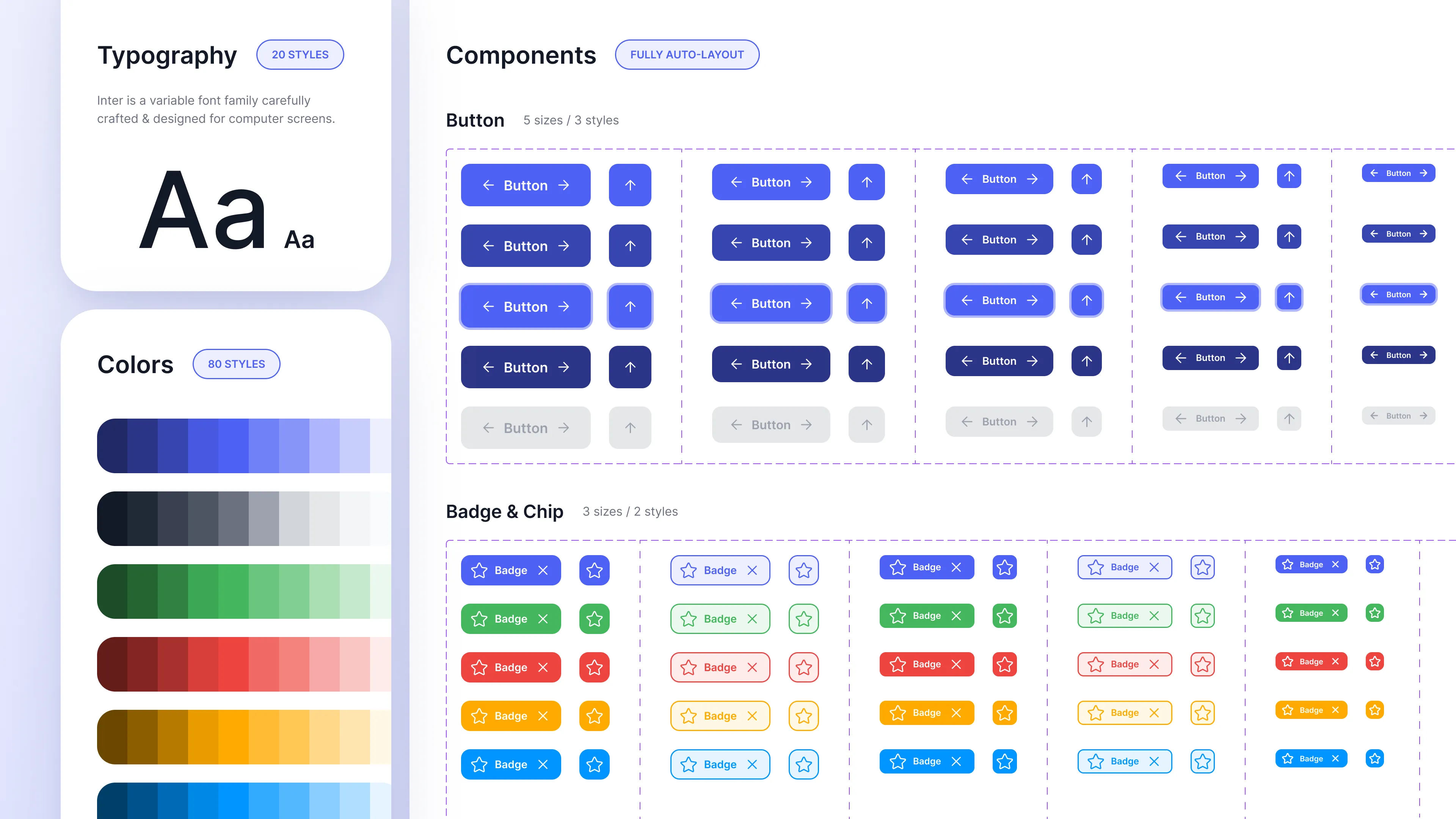
A Design System is a product. It is a set of standards, documentation, and principles that accompany components to build interfaces consistently.
“A Design System is the single source of truth which groups all the elements that will allow the teams to design, realize and develop a product.”
Imagine it like a box of LEGO.
- The pieces are your components (buttons, inputs, cards).
- The instructions are the documentation (when to use what, spacing rules, tone of voice).
- And most importantly: all the pieces fit together.
Atomic Design: The chemistry of UI ⚛️
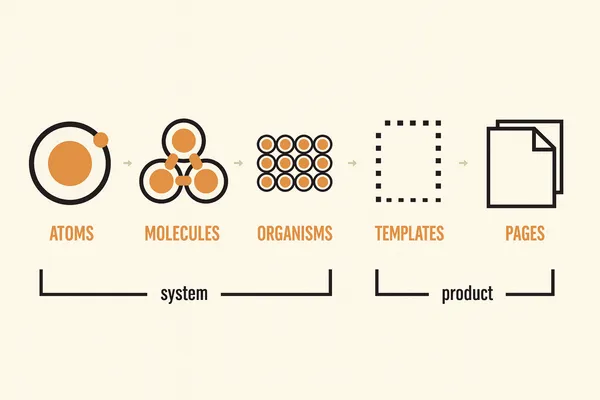
To understand how a Design System is structured, it is almost mandatory to mention Brad Frost and his Atomic Design methodology. It is the most logical way to think about scalable interfaces:
- Atoms: The indivisible elements. A label, an input, a button, an icon. On their own they don’t do much, but they are the foundation.
- Molecules: Groups of atoms joined together. An input + a label + a search button = A search bar.
- Organisms: Groups of molecules. A complete header (logo + navigation + search bar).
- Templates: The page structure without real content (the skeleton).
- Pages: The real instances with final content.
As Frontends, this sounds like celestial music to us, right? Because it is exactly how we think about React, Vue, or Angular components. 🧩
Why should you love it as a Frontend? ❤️
Okay, all this sounds very nice in theory, but what do I gain in my day-to-day?
1. Speed 🚀
Forget about reinventing the wheel every time you need a modal. With a Design System, building a new feature is like assembling a puzzle. You take the <Button> component, the <Card>, and the <Modal>, and you’re done. You focus on the business logic, not on fighting with CSS to center a div for the umpteenth time.
2. Consistency 📏
No more “50 shades of gray” in your CSS. If the Design System defines color-primary-500, that is the color. Period. Visual consistency generates trust in the user, and code consistency generates peace of mind in the developer.
3. Communication (The end of Design vs Dev wars) 🤝
The Design System creates a common language. When the designer says “Primary Button Small”, you know exactly that it is <Button variant="primary" size="sm" />. There is no ambiguity. There is no unnecessary “pixel pushing”.
4. Maintainability 🛠️
Do you have to change the border radius of all the buttons in the app from 4px to 8px?
- Without Design System: Search and replace in 50 CSS files, pray not to break anything. 😱
- With Design System: You change a variable in your Design Tokens or in the base component, and boom! Magic. ✨
How to start? (Without going crazy)
You don’t need a team of 20 people dedicated to this to start.
- Audit: Look at what you have. How many different buttons are there? How many font sizes?
- Design Tokens: Start by defining your basic variables: colors, spacing, typography.
- Base Components: Create the atoms: Buttons, Inputs, Icons.
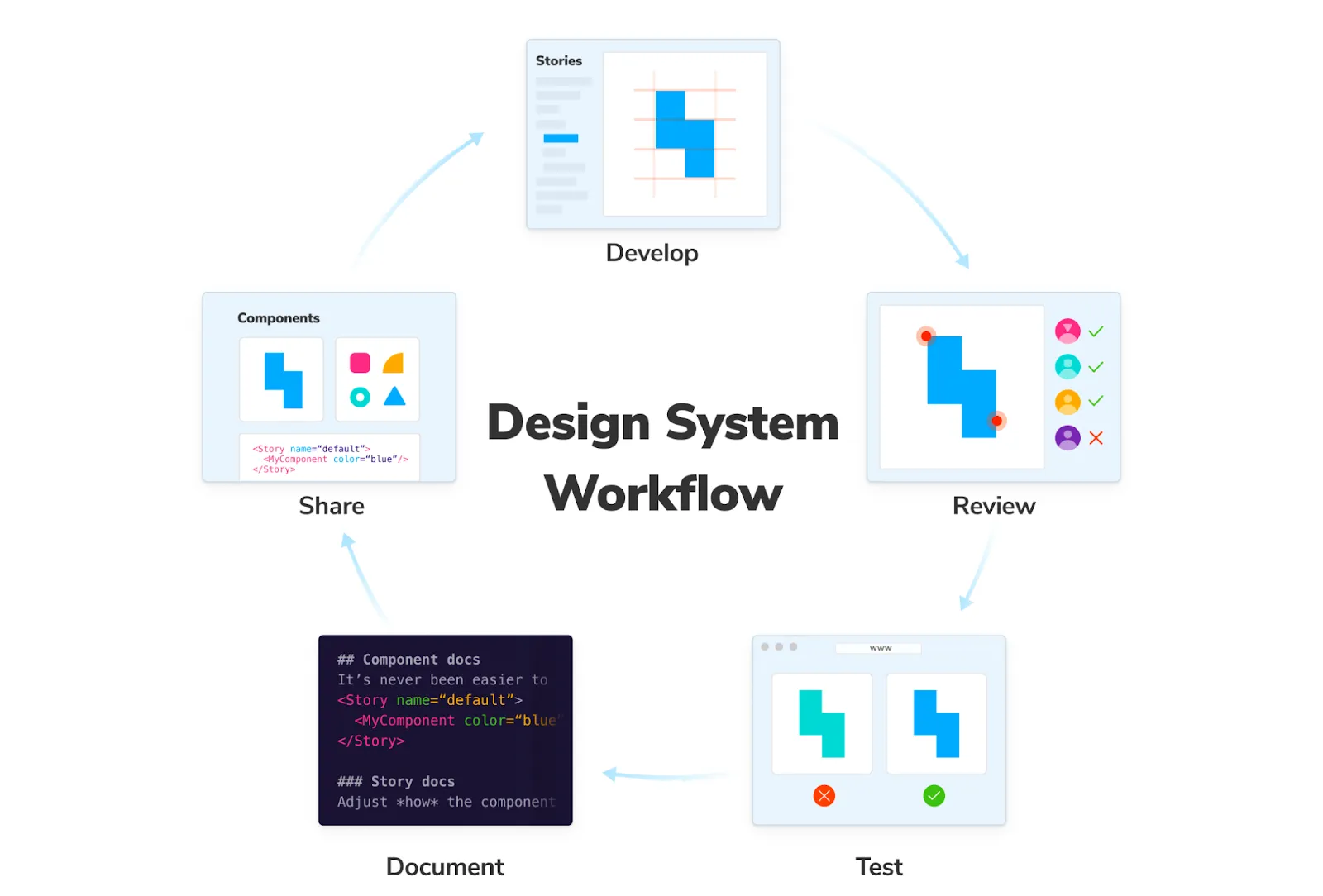
- Document: A component without documentation is a dead component. Use tools like Storybook.
Conclusion
A Design System is not a restriction on your creativity; it is a platform for your creativity to fly higher without worrying about the foundations. It is the difference between building sandcastles (which the tide takes away) and building skyscrapers.
So the next time you see a designer organizing their Figma, invite them for a coffee. Your future Design System will thank you. ☕
See you in the code! 👨💻👩💻